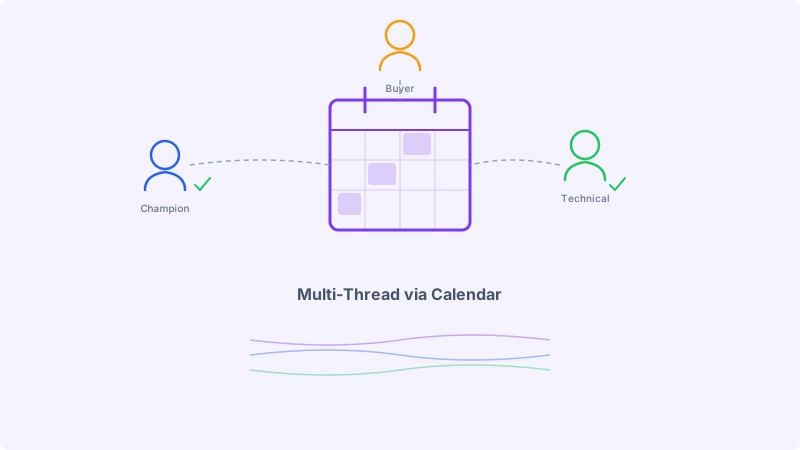
Enterprise deals die single-threaded. Your SDR builds a relationship with a director-level champion. The champion goes on vacation, changes roles, or gets overruled by a VP who was never part of the conversation. Months of pipeline work evaporates because the deal depended on one person.
Multi-threading (engaging multiple stakeholders within the same account simultaneously) is the standard prescription. Every sales methodology recommends it. MEDDPICC, SPIN, Challenger: they all emphasize mapping the buying committee and building multiple relationships in parallel.
The problem is execution. Sending cold emails to five people at the same company from the same domain risks looking like spam. It can trigger email filters, damage sender reputation, and create an awkward situation where stakeholders compare notes and realize they all received nearly identical outreach. The optics are poor, and the deliverability risk is real.
Cold calendar invites offer a structurally different approach to multi-threading. Calendar invites travel through a separate delivery mechanism than email, carry different social expectations, and create individual commitments rather than group broadcasts. When used strategically, they let you engage an entire buying committee without the deliverability and perception risks of mass email to the same domain.
Why Email Multi-Threading Hits a Ceiling
Email multi-threading at enterprise accounts runs into predictable problems.
Domain-level sending limits. Most email providers and outbound tools track sending volume per domain. When you send five cold emails to five people at the same company within a short window, spam filters notice the pattern. The more aggressive the volume, the higher the risk of your domain being throttled or blocked at that company’s mail server.
Internal forwarding exposure. Enterprise employees often forward interesting vendor emails to colleagues with a note like “did you get this too?” If three people on the same team received the same outreach, the conversation shifts from “this is relevant” to “they are spamming us.” The trust damage is difficult to reverse.
Reply attribution confusion. When multiple stakeholders reply to separate email threads, the conversation fragments. Your SDR is managing parallel threads with overlapping context, and the risk of contradicting yourself or providing inconsistent information increases with each additional thread.
Permission-based escalation pressure. Cold email to a C-level executive at an enterprise company has a low success rate. The executive’s inbox is heavily filtered, the volume of vendor outreach is high, and the social contract around cold email is weakening. Getting a meeting with a CRO through a cold email alone is increasingly difficult.
These are not reasons to avoid multi-threading. They are reasons to use a different channel for it.
How Calendar Invites Change the Multi-Threading Dynamic
Calendar invites operate through a fundamentally different protocol than email. They arrive in a calendar application, not an inbox. They request a time commitment, not a reply. They create a visible event on the recipient’s schedule, which has a different psychological weight than an unread email.
For multi-threading, this creates several structural advantages.
Separate deliverability path. Calendar invites use the iCalendar protocol (ICS) and are processed by calendar servers, which have different filtering logic than email spam filters. Sending calendar invites to multiple people at the same domain does not trigger the same volume-based penalties that email does. The invite is a calendar event, not a marketing message.
Individual commitment psychology. A calendar invite is a personal request for time. It appears on the recipient’s schedule with a clear accept/decline action. The social weight of declining a meeting request is higher than ignoring a cold email, particularly when the invite includes a specific, relevant reason for the meeting.
Natural group inclusion. Calendar invites are inherently designed for multiple attendees. Adding two or three stakeholders to the same calendar invite is not spam; it is a meeting request. This is a normal business behavior that recipients engage with daily. You can include multiple stakeholders on a single invite, framing it as a brief alignment meeting, without the awkwardness of sending identical cold emails.
Visibility on the calendar. An email can be deleted, archived, or lost in the inbox. A calendar invite sits on the recipient’s schedule until they actively remove it. Even a tentative or unanswered invite remains visible, which means your meeting request has persistent presence that email does not provide.
Multi-Threading Strategy with Calendar Invites
Effective multi-threading through calendar invites requires a deliberate approach. Blasting invites to every contact at an account is not strategy; it is noise. The goal is to engage the right stakeholders with the right framing at the right time.
Step 1: Map the Buying Committee
Before sending any outreach, identify the roles that typically influence and approve purchase decisions for your product category. For enterprise B2B, this usually includes:
- Champion (director or senior manager who owns the problem)
- Economic buyer (VP or C-level who controls the budget)
- Technical evaluator (engineer, architect, or IT lead who assesses fit)
- End user (team lead or IC who will use the product daily)
You do not need to reach all four simultaneously. Start with the champion and one additional stakeholder.
Step 2: Sequence Your Outreach by Role
Do not send calendar invites to all stakeholders on the same day. Stagger your outreach to build context before expanding.
Week 1: Send a calendar invite to your primary champion. Frame it as a focused 15-minute conversation about the specific problem your product solves. Include a one-line context note that references something specific to their company or role.
Week 2: If the champion accepts or shows interest, send a calendar invite to the technical evaluator. Frame it differently: focus on implementation, integration, or technical fit. Reference the ongoing conversation with their colleague if appropriate.
Week 3: Send a calendar invite to the economic buyer. Frame this as a brief alignment discussion about how your solution impacts a metric they care about (cost reduction, efficiency, risk). Keep it short and strategic.
This sequenced approach creates multiple touchpoints without the impression of a coordinated blast.
Step 3: Customize the Invite Content Per Role
The calendar invite description is your pitch. Each stakeholder should see a different message because they care about different things.
For the champion: Focus on the operational problem. “Your team at [Company] is likely dealing with [specific challenge]. I have 15 minutes blocked to walk through how [similar companies] solved this.”
For the technical evaluator: Focus on architecture and integration. “I wanted to share how [Product] integrates with [their stack]. 15 minutes to cover the technical setup and answer architecture questions.”
For the economic buyer: Focus on business impact. “Companies in [their industry] are seeing [specific metric improvement] after addressing [the problem]. I blocked 15 minutes to discuss whether this applies to [Company].”
Kali makes this role-based customization straightforward by letting you create invite templates per persona and schedule sends across your account list with staggered timing.
Step 4: Use Shared Invites Strategically
Once you have engagement from at least one stakeholder, you can use shared calendar invites to bring additional people into the conversation. This works because you now have an internal reference point.
Send a calendar invite for a follow-up meeting and include both the champion and the economic buyer. The champion’s acceptance gives the invite legitimacy. The economic buyer sees that their colleague is already engaged, which lowers the barrier to participation.
This is the calendar invite equivalent of the warm introduction, and it works because the medium (a calendar event) is designed for multi-person scheduling.
Deliverability Considerations for Calendar Outreach
While calendar invites avoid many of the deliverability issues that plague email multi-threading, there are still best practices to follow.
Validate email addresses before sending. Calendar invites still require accurate email addresses. An invite sent to an invalid address creates a bounce event that can affect your calendar sending reputation. Use Scrubby to verify your prospect email list before launching calendar outreach campaigns. This is especially important for catch-all domains, where addresses may appear valid but fail to deliver.
Limit invite volume per account per week. Even though calendar invites have a different delivery path than email, sending ten invites to one account in a single day looks aggressive. Two to three invites per account per week is a sustainable pace.
Use clear, professional invite titles. Vague titles like “Quick Chat” or “Sync” get ignored. Specific titles like “15 Min: [Prospect’s Problem] at [Company]” communicate relevance instantly.
Include a brief, specific description. The invite description should be three to five lines. State why you are reaching out, what you will cover, and why it is worth the prospect’s time. Avoid long pitches or heavy formatting.
Combining Calendar Invites with Email Sequences
Calendar invites work best as part of a multi-channel sequence, not in isolation. The strongest multi-threading approach layers calendar invites with email touches and LinkedIn engagement.
A typical multi-channel sequence for an enterprise account might look like:
- Day 1: Cold email to the champion (introduce the problem, build initial context)
- Day 3: Calendar invite to the champion (request 15 minutes to discuss)
- Day 5: LinkedIn connection request to the champion
- Day 8: Cold email to the technical evaluator (different angle, technical focus)
- Day 10: Calendar invite to the technical evaluator
- Day 14: Calendar invite to the economic buyer (business impact framing)
Each touchpoint uses the channel that is most appropriate for the message and the recipient’s likely behavior. Email introduces context. Calendar invites request commitment. LinkedIn adds a personal layer.
AI reply agents through Underfive can handle responses across these channels automatically, so when a prospect replies at any hour, the conversation keeps moving without waiting for the SDR to come online.
Measuring Multi-Threading Success
Track these metrics to evaluate whether your calendar invite multi-threading strategy is working:
Stakeholders engaged per account. Count the number of distinct contacts who have accepted a meeting, replied to an email, or connected on LinkedIn per target account. The goal is to move from single-threaded (one contact) to multi-threaded (three or more contacts) for every active opportunity.
Calendar invite acceptance rate by role. Segment acceptance rates by persona (champion, technical, economic buyer). This tells you which roles respond best to calendar outreach and which need different framing or channel.
Time to multi-thread. Measure how long it takes from first outreach to having three or more stakeholders engaged. Calendar invites should compress this timeline compared to email-only approaches.
Deal velocity for multi-threaded vs. single-threaded opportunities. Compare the average sales cycle length for deals where you engaged multiple stakeholders versus deals where you were single-threaded. The difference quantifies the business impact of your multi-threading strategy.
Competitive displacement rate. Track how often you win deals where a competitor had an earlier relationship with one stakeholder but you built broader committee coverage. Using competitive intelligence from CAM to monitor which competitors are engaging your target accounts helps you prioritize multi-threading efforts where they matter most.
Common Mistakes to Avoid
Sending identical invite descriptions to multiple stakeholders. If two people at the same company compare invites and see the same text, you look like a bot. Customize every invite per role.
Multi-threading too early. Reaching out to five stakeholders before you have any context about the account’s needs or timing creates noise without signal. Start with one or two contacts, learn something, then expand.
Ignoring the calendar invite follow-up. If a prospect declines your invite, that is data. If they do not respond, send a brief follow-up invite with adjusted timing two weeks later. Do not let calendar non-responses die without a second attempt.
Forgetting to connect the threads. When multiple stakeholders engage separately, your job is to bring them together. Propose a shared meeting once you have two or more people interested. This accelerates the evaluation by getting the buying committee aligned in one conversation.
The Structural Advantage
Multi-threading is not optional for enterprise sales. The question is how you execute it. Email-only multi-threading hits deliverability ceilings and perception risks. Calendar invite multi-threading avoids those limits while adding the psychological weight of a time commitment and the natural multi-attendee mechanics of calendar events.
The teams closing enterprise deals consistently are the ones using calendar outreach as a core multi-threading channel, not an afterthought. Start mapping your buying committees, sequence your calendar invites by role, and let the medium do what it was designed to do: get multiple people in the same room at the same time.