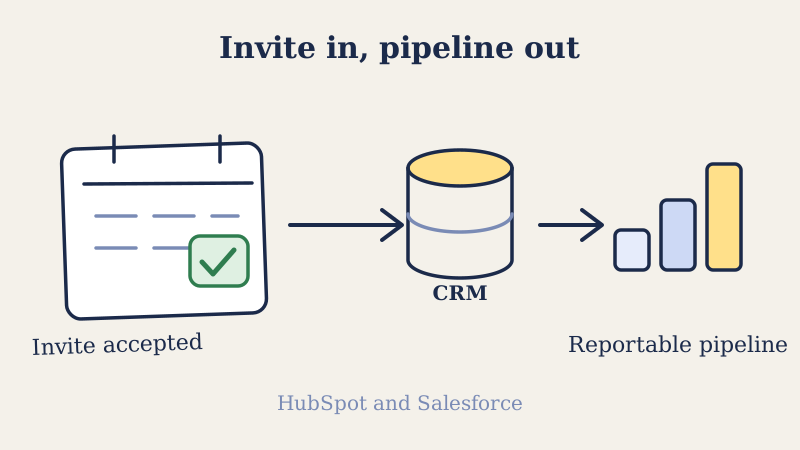
Cold calendar invites book meetings. That part is well covered. What breaks for most teams is everything that happens after the accept: the meeting gets booked, the rep shows up, the deal moves forward, and none of it is reflected in the CRM until someone remembers to log it by hand three days later. By then the reporting is wrong, the attribution is guesswork, and leadership has no idea which channel is actually filling the calendar.
If you are running calendar invite outreach at any real volume, the CRM sync is not a nice-to-have. It is the difference between a channel you can measure and scale and a channel that looks like magic nobody can explain. This guide walks through how to wire cold calendar invite outreach into HubSpot and Salesforce so every invite sent, accepted, declined, and attended becomes structured data your team can report on.
Why the sync matters more than the send
A cold calendar invite generates a specific sequence of events: sent, delivered, accepted or declined, and then attended or no-showed. Each of those is a signal. Each one belongs on a contact or lead record so your pipeline reflects reality.
When the sync is missing, three expensive things happen. First, reps double-book their own time because the CRM does not know a meeting exists. Second, your reporting cannot separate calendar invite meetings from inbound demos or referral calls, so you cannot prove the channel works. Third, follow-up falls through the cracks, because a declined invite or a no-show that never hits the CRM never triggers the next touch.
The whole point of running structured outbound is that you can see it, measure it, and improve it. A booked meeting that lives only in a rep’s personal calendar is invisible to that loop. Purpose-built calendar outreach platforms like Kali exist to close exactly this gap, pushing invite activity into your system of record instead of leaving it stranded in individual inboxes.
The four events worth capturing
Before you touch any integration settings, decide what you actually want to record. Trying to sync everything creates noise. These four events carry almost all the value.
- Invite sent. The moment an invite goes out, log it as an activity or engagement on the contact. This gives you the top of your funnel and lets you calculate acceptance rate later.
- Invite accepted or declined. This is the response signal. Accepts should ideally advance a lifecycle stage or create a task; declines should route into a follow-up sequence rather than vanishing.
- Meeting scheduled. Once accepted, the meeting itself should exist as a CRM meeting or event object tied to the contact and, where relevant, the deal or opportunity.
- Attended or no-show. The outcome. A booked meeting that nobody attended is not a win, and your CRM needs to know the difference so your show rate reporting is honest.
Map those four events to fields and objects before you build anything. The integration work is easy once you know what each event should become on the record.
Setting up the sync in HubSpot
HubSpot makes this relatively friendly because meetings and engagements are first-class objects. Here is the practical setup.
1. Connect the calendar at the account level. In HubSpot, connect the sending mailbox under your account’s calendar and email integration settings, not just an individual user’s personal connection. Account-level connection is what lets meeting activity flow onto contact timelines automatically.
2. Use custom activity properties for invite events. Create a small set of custom properties on the contact record: invite_sent_date, invite_status (a dropdown of sent, accepted, declined, no response), and invite_meeting_outcome (attended, no-show, rescheduled). If your invite tool has a native HubSpot integration, map its events directly to these properties. If not, push them in through the HubSpot API or a workflow triggered by an inbound webhook.
3. Build a workflow off invite status. This is where the sync earns its keep. Trigger a workflow when invite_status changes. Accepted moves the contact to a “meeting booked” lifecycle stage and creates a prep task for the rep. Declined enrolls the contact in a polite follow-up sequence. No response after a set window triggers a second-touch invite. Now your CRM is not just recording outreach, it is orchestrating it.
4. Report with a custom funnel. Build a report that counts invites sent, acceptance rate, meetings booked, and show rate as a single funnel. Filter by rep, by segment, and by campaign. This is the dashboard that finally tells leadership what the channel produces.
The key HubSpot principle: let meetings sync natively for the timeline, but drive lifecycle changes and follow-up off custom invite properties so the automation is under your control.
Setting up the sync in Salesforce
Salesforce gives you more power and more rope. The clean pattern uses standard objects wherever possible and custom fields for the invite-specific signals.
1. Model the meeting as an Event. Salesforce Events are the natural home for a booked meeting. Tie the Event to the Lead or Contact and, once a deal exists, to the Opportunity through a related record. Most calendar sync tools that support Salesforce will create these Event records for you when a meeting is booked.
2. Add custom fields for the invite lifecycle. On the Lead and Contact objects, add fields such as Invite_Status__c, Invite_Sent_Date__c, and Meeting_Outcome__c. These mirror the HubSpot approach and give your reports and flows something concrete to fire on.
3. Automate with Flow, not manual entry. Build a record-triggered Flow on Invite_Status__c. Accepted creates a follow-up Task and updates the Lead Status. Declined routes the record to a nurture campaign. This keeps reps out of the data-entry business and keeps your records consistent.
4. Guard your data quality. Salesforce duplicate rules matter here. If your outreach tool creates a Lead for every invited prospect, matching duplicate rules prevent the same person existing three times across three campaigns. Set matching rules on email before you run volume, or your reporting denominator quietly inflates.
5. Build the funnel in a report type. Create a custom report type that joins invite activity to Opportunities so you can trace a cold invite all the way to closed revenue. That end-to-end line, cold invite to booked meeting to pipeline to closed won, is the single most persuasive artifact you can put in front of a sales leader.
The data quality problem underneath all of this
Here is the part that quietly sabotages CRM syncs, and it has nothing to do with HubSpot or Salesforce settings. If the contact data feeding your invites is dirty, your CRM will faithfully record garbage.
Send invites to invalid or risky addresses and you get bounces, no responses that look like disinterest, and a slow drip of bad records into your system of record. Worse, bounced invites hurt your sender reputation, which drags down deliverability for the good addresses too. Your acceptance rate looks broken when the real problem is that a third of your list was never reachable in the first place.
Clean the list before it ever reaches the CRM. Running your addresses through a verification service like Scrubby strips out invalid and high-risk contacts so the records you sync are real people, and so your acceptance and show-rate metrics reflect prospect behavior instead of a data defect. Verification is upstream of the entire measurement stack. Skip it and even a perfect integration will report numbers you cannot trust.
Avoiding the common sync mistakes
A few failure modes show up again and again once teams start wiring this together.
- Syncing everything. You do not need every reminder ping and calendar edit in the CRM. Capture the four events that matter and suppress the rest, or your timelines become unreadable.
- Letting reps log manually “for now.” Manual logging never becomes automatic later. It becomes a permanent 40 percent data gap. Automate from day one or accept that your reporting is a rough estimate.
- No owner for the integration. Someone in sales ops needs to own field mappings and workflow logic. When outreach tools update their event schemas, an unowned integration silently drifts and breaks.
- Reporting bookings without show rate. A dashboard that celebrates meetings booked while ignoring attendance flatters the channel and hides the real problem. Always pair the two.
- Ignoring the deal join. Tracking invites without ever connecting them to Opportunities means you can prove activity but never prove revenue. The revenue join is the whole point.
Putting it together
The mechanics of a cold calendar invite are simple. The operational value only shows up when every invite becomes a clean, reportable event inside the system your whole company already runs on. Decide which four events you care about, map them to properties and objects in HubSpot or Salesforce, automate the follow-up off those signals instead of relying on memory, and verify your list with something like Scrubby so the data you sync is real.
Do that, and calendar invite outreach stops being a channel that mysteriously produces meetings and becomes a channel you can forecast, defend in a board meeting, and scale with confidence. If you would rather not build all of that plumbing by hand, a calendar-first outreach platform like Kali handles the invite sending and the CRM sync together, so the accept, the decline, and the no-show all land where your pipeline can see them from the first send.