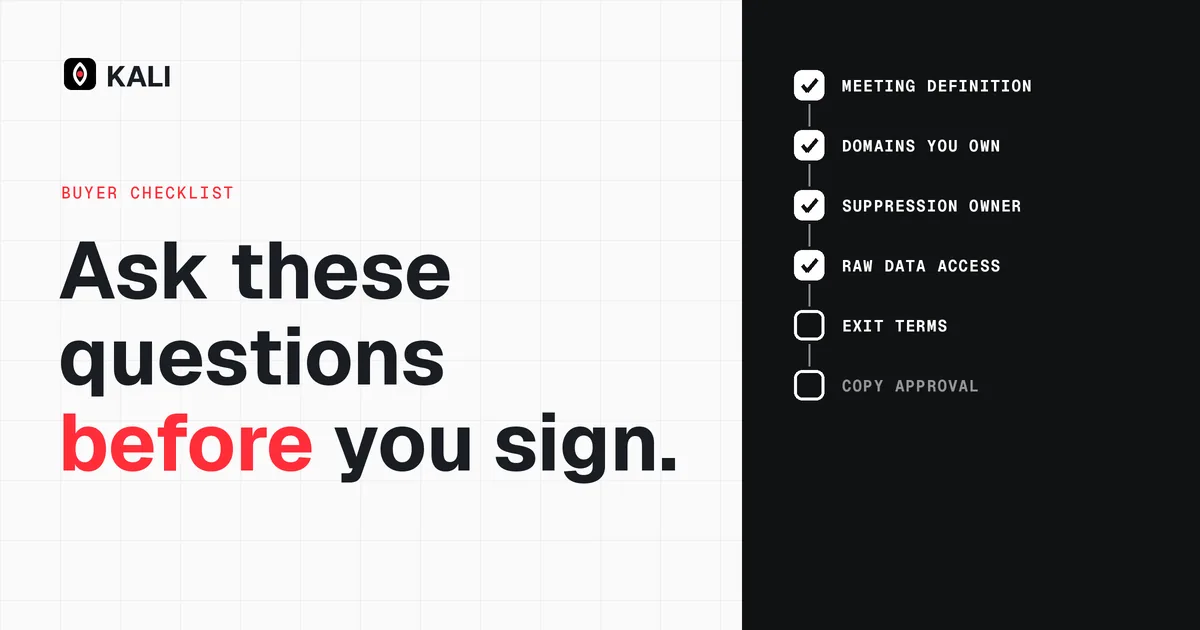
Most teams that hire a cold calendar invite service decide on the first call. The demo looks good, the sample invites read well, and the meetings number sounds right. The questions that decide whether the engagement works tend to come up three months later, when something goes wrong: a domain gets flagged, meetings arrive with the wrong people, or the reporting cannot explain why acceptance dropped.
You can ask those questions up front. A cold calendar invite program has more moving parts than it seems: sending accounts, domains, list sourcing, invite copy, reply handling, calendar logistics and reporting. A service either owns each part with a clear process, or leaves it to chance.
This guide is the list we would want a buyer to work through with any provider, including us. It is organized by the part of the program each question tests, with what a good answer sounds like and what should make you pause.
Start With What You Are Actually Buying
Before comparing providers, agree internally on what you want to buy. There are three common models, and they lead to very different conversations.
- Sending capacity. You pay for invites sent. The provider supplies infrastructure, and the outcome is your problem.
- Booked meetings. You pay for meetings that land on your reps’ calendars. The provider owns the outcome, so it has to care about targeting and copy, not only volume.
- A hybrid. A base for the program plus a component tied to meetings.
None of these is wrong, but they shape every other answer. A provider paid on volume has little reason to send fewer, better invites. A provider paid on meetings has every reason to define “meeting” generously. Your questions should test whichever risk your model carries.
Question 1: What exactly counts as a booked meeting?
This is the most important question on the list, and it is often answered vaguely. Possible definitions include:
- The prospect clicked Accept on the invite
- The prospect accepted and the meeting was not later cancelled
- The prospect attended the meeting
- The prospect attended and matched your ideal customer profile
Ask which one the provider reports and which one it is paid on. Then ask how a meeting with the wrong person, a no-show or a quick “not interested” on the call is handled. A good answer names the definition in writing and explains what happens to meetings that do not meet it. Our post on acceptance rate versus show rate explains why those two numbers tell different stories.
Sending Accounts, Domains and Reputation
A cold calendar invite comes from a real calendar account on a real domain. Whoever controls those accounts controls your reputation in prospects’ inboxes and calendars.
Question 2: Whose domains and accounts will the invites come from?
There are broadly three setups:
| Setup | What it means for you |
|---|---|
| Your primary domain | Strongest trust signal, and the most risk to the domain your company uses every day |
| Secondary domains registered for you | Protects the primary domain; you should own them or be able to take them over |
| The provider’s own shared pool | Fastest to start; your brand rides on accounts you do not control |
Ask who registers the domains, in whose name, and what happens to them if you end the contract. If the answer is “they stay with us”, you are renting reputation you cannot take with you.
Question 3: How are accounts warmed up and protected?
New sending accounts need a gradual ramp before they carry real volume. Ask how long warm-up takes, how volume increases, and what is monitored along the way. Good answers mention authentication (SPF, DKIM and DMARC), per-account daily limits, and a process for pausing an account that shows signs of trouble. Our guides to warming up accounts for calendar outreach and SPF, DKIM and DMARC for calendar invites cover what that work involves.
Question 4: How many invites will each account send per day?
You are not looking for a specific number. You are looking for a provider that has a number, can explain why, and does not raise it to hit a monthly target. A provider that answers “as many as you need” is describing a reputation problem in waiting. See how many cold calendar invites to send per day for the trade-offs.
Lists and Targeting
The list decides more of the result than the copy does. An excellent invite sent to the wrong person books nothing, or worse, books a meeting your AE has to sit through.
Question 5: Who builds the list, and from what sources?
Some providers expect your list. Others build it. Both can work. Ask:
- Which data sources are used, and how recent the records are
- How work email addresses are found and verified before anything is sent
- How personal addresses, role addresses and existing customers are excluded
- Whether you approve the list, or a sample of it, before launch
Verification and exclusions matter more for calendar invites than for email, because an invite lands on a calendar, not only in an inbox. Our posts on verifying your list and sending to personal email addresses explain why.
Question 6: How do you handle suppression?
Every program needs a list of people who should never receive an invite: current customers, open opportunities, past opt-outs, competitors, and anyone who asked not to be contacted. Ask how that list is shared, how often it is refreshed, and how quickly an opt-out stops future sends. A good answer is a process with an owner, not “just send us a spreadsheet”.
Invite Copy and Personalization
Question 7: Who writes the invites, and who approves them?
Ask to see real invites written for a profile like yours, not a polished template. Then ask how copy is produced at scale. Personalization can mean anything from a first-name token to a sentence written around the prospect’s role and company. Find out which you are getting, and whether you approve copy before it goes out.
Look at the title and description in particular. A calendar title has very little space, and a description that reads like a marketing email undoes the advantage of the channel. Our guide to invite descriptions that get prospects to show up has examples of what good looks like.
Question 8: How is copy tested and changed?
Ask how the provider decides an invite is underperforming and what it changes first. Look for a habit of testing one variable at a time against a clear metric, as described in our guide to A/B testing cold calendar invites. Be careful with any provider that rewrites everything at once whenever results dip, because nobody learns anything from that.
Replies, Declines and Calendar Logistics
Calendar invites create activity that email does not: tentative responses, proposed new times, forwards to colleagues, declines with a note, out-of-office replies. Someone has to deal with all of it, quickly.
Question 9: Who handles replies, and how fast?
Ask who reads replies and proposed times, in which hours, and how a reply that needs your team is passed across. Ask to see the playbook for common cases: a tentative response, a forwarded invite, an out-of-office reply, a decline that says “not now” rather than “no”.
Question 10: How do accepted meetings reach my team?
Clarify whose calendar the meeting ends up on, how your AE is told, what context comes with the meeting, and whether it is logged in your CRM. A meeting that arrives without context is half a meeting. Our guide to running the first meeting booked from a cold invite covers what the AE needs before the call.
Compliance and Brand Risk
Question 11: How do you handle consent, opt-outs and local rules?
Rules on unsolicited business outreach vary by country. Ask which markets the provider sends into, how it decides the legal basis for contacting people there, and how opt-out requests are recorded and honoured. You remain responsible for outreach sent in your name, so the answers should be specific. Our overview of cold calendar invite compliance is a starting point, not legal advice, and your counsel should review the final setup.
Question 12: Can I see everything that goes out under my name?
You should be able to see every invite template, every sending account and the list of who was contacted. A provider that is reluctant to show this is asking you to carry risk you cannot inspect.
Reporting
Question 13: What will I see each week?
At minimum, expect invites sent, acceptances, declines, meetings held and no-shows, broken down by segment and by message. Ask whether you get raw data or only a dashboard, because raw data is what lets you reconcile the provider’s numbers with your CRM. If the provider is paid on meetings, its reporting should make it easy to audit that number.
Question 14: How do you explain a bad week?
Every program has them. Ask the provider to walk you through how it diagnoses a drop: deliverability, list quality, copy fatigue, timing or a change in the market. The quality of that answer tells you more than any case study.
Contract, Ramp and Exit
Question 15: How long until the first invites go out, and what do you need from us?
Onboarding usually needs your ideal customer profile, messaging inputs, calendar access for the reps who will take meetings, and a suppression list. Ask for the timeline in writing, with what is on your side and what is on theirs. Most delays come from the customer side, so knowing the list early helps.
Question 16: What happens when we stop?
Ask what you keep: domains, sending accounts, lists, copy, and the history of who was contacted and how they responded. Ask how much notice is needed and whether in-flight invites are wound down cleanly. Your ability to leave smoothly is a good test of how much the provider values its relationship with you.
Red Flags Worth Walking Away From
- Fixed promises about acceptance or attendance rates before the provider has seen your market, list or offer
- No clear definition of a booked meeting, or one that counts any click on Accept
- Domains and accounts you can never take over
- Volume as the main selling point, with no plan for reputation
- No access to raw data, only screenshots of a dashboard
- Copy you cannot see or approve before it goes out
A Simple Scorecard
Score each provider from one to three on each area after your calls, and write down the evidence behind every score.
| Area | What a strong answer includes |
|---|---|
| Meeting definition | Written definition, handling of no-shows and poor-fit meetings |
| Infrastructure | Domains you can own, documented warm-up, conservative daily limits |
| Data | Named sources, verification, suppression with an owner |
| Copy | Real examples, your approval, a testing habit |
| Replies and handoff | Named owner, coverage hours, CRM logging |
| Compliance | Specific answers per market, opt-out process |
| Reporting | Raw data, weekly cadence, honest diagnosis of bad weeks |
| Exit | You keep domains, lists and history |
If two providers are close, run a short pilot with each on a defined segment rather than choosing on the strength of a demo. Agree the meeting definition and the reporting format before the pilot starts, so the comparison is fair.
FAQ
Should we build cold calendar invite outreach in-house instead? It can work if you have someone to own infrastructure, data and copy full time. Our comparison of cold calendar invites and appointment-setting agencies covers the trade-offs between building and buying.
How long should a pilot run? Long enough to get past warm-up and see several weeks of sending at steady volume. Agree the length and the success criteria before you start.
Is it a bad sign if a provider will not share example invites? Not always, since examples may be written for other clients. But it should be willing to write a sample for your profile before you commit.
Can a service run calendar invites alongside our email and LinkedIn outreach? Yes, and it should ask about your other channels so the same person is not contacted three ways in the same week.
KALI runs cold calendar invite outreach as a fully managed service. You bring the ICP and the calendars, and KALI handles the list, the invite copy, the sending accounts, the follow-ups and the reporting on acceptance, attendance and outcomes. If you are comparing providers, use this list with us too. See how it works.